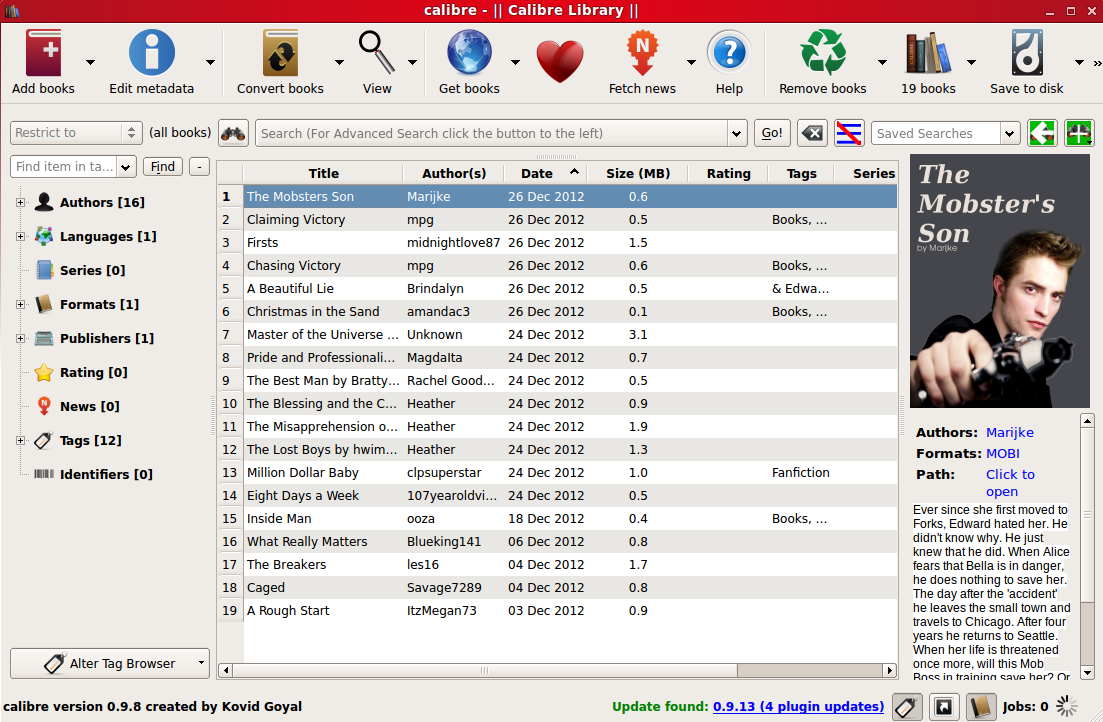
Some people have asked me, “how do you add the covers?” Well I decided to create this page to help those who may not be aware of how to add covers to their Fanfics. First off the only way I am aware of that is painless and easy is by using Calibre a free ebook management application available for Windows, MacOS, and Linux. You can get Calibre >here<.
Once installed you can follow these screenshots on how to add the covers to a ebook (I am assuming you already added the ebook to Calibre).
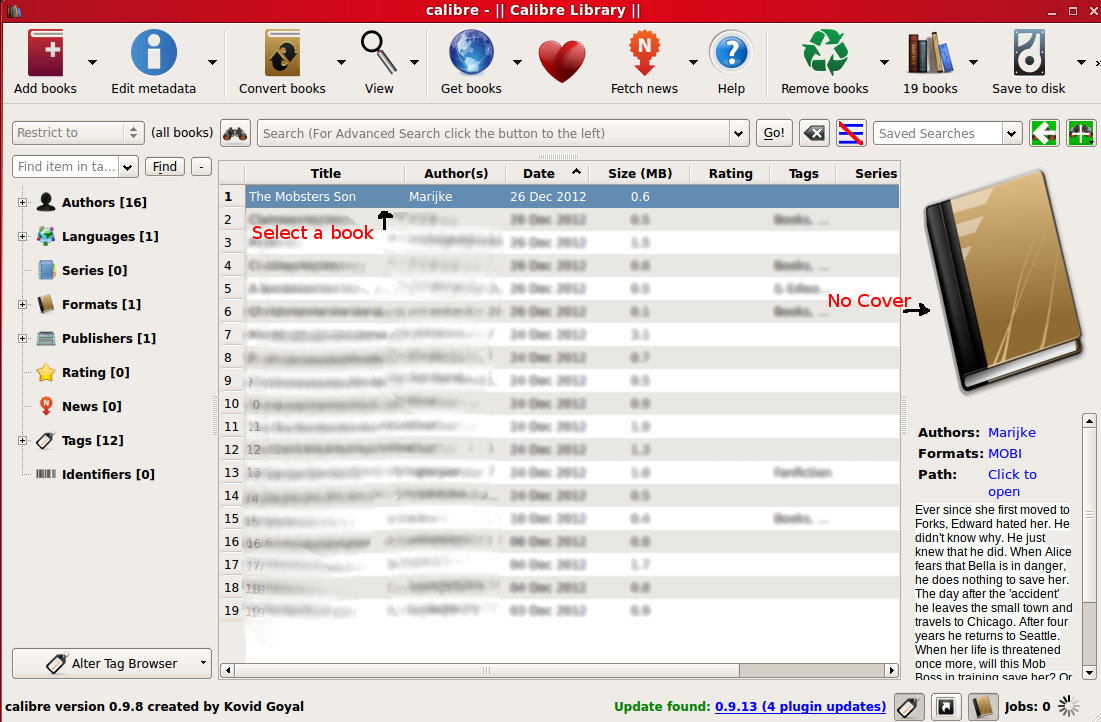
Step 1: After you open Calibre and have your book in the list, click on the book you want to add a cover to. As you will see in this image you may see a generic looking book or maybe even the first page of the book instead of a nice looking cover.
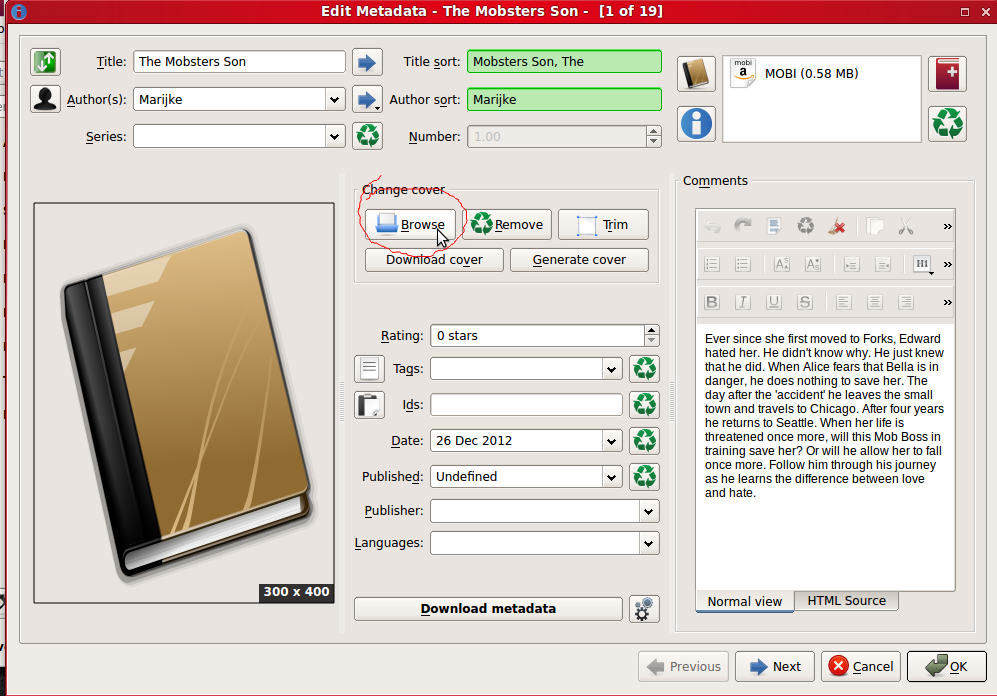
Step 2: After you highlight the book you want to add a cover to by clicking on it, right click on it and hover over Edit Metadata and then click on Edit Metadata Individually.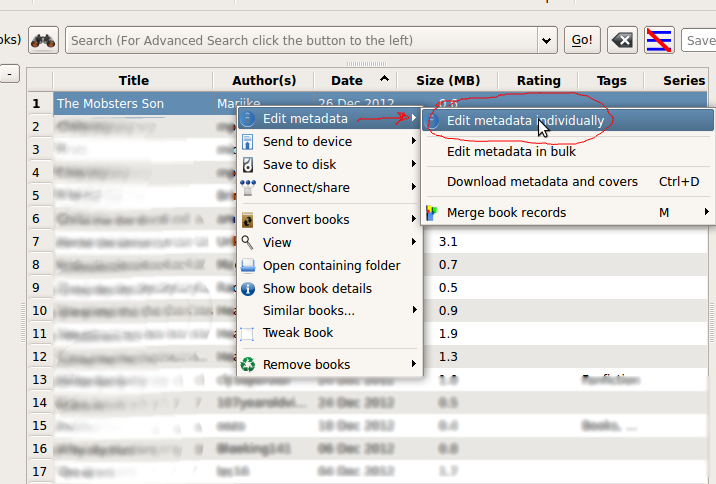 Step 3: Then you will see details you can edit, one of which being the cover. Click on Browse, and then a new window will open up.
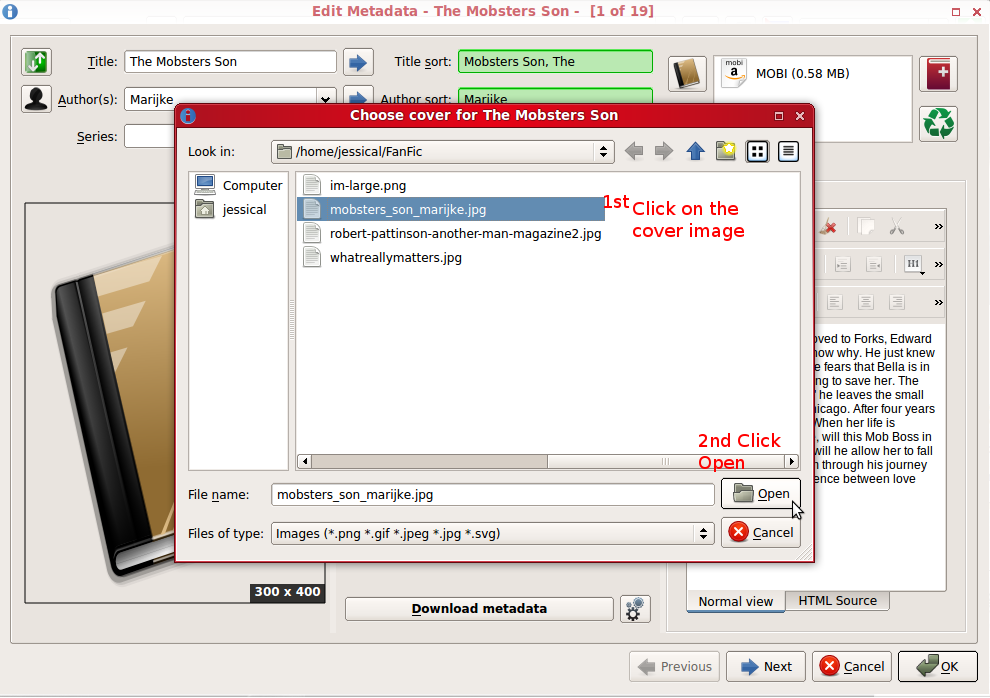
 Step 4: Click on the cover image file you want to add as the cover to the book, and then hit Open.
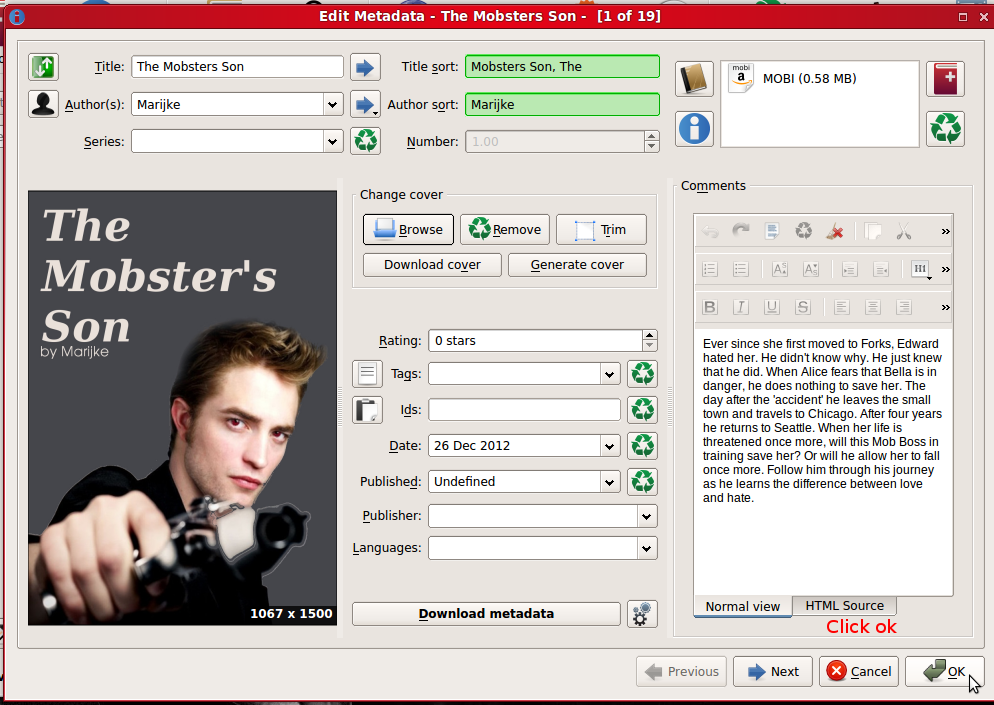
 Step 5: You should then see your cover added to the metadata as seen below. Once there click on Ok.
Step 6: You should see your cover now when you select your book in the list. All done!